
Nothing to post.
Find prompts, posts and topics you can make your own.
Find ideas for your topics, shape stronger posts, and stay close to the conversations that matter. One place to go from blank page to your next move.
Making content regularly is hard enough. Rehype gives you a clearer place to start and a better way to keep going.
Find prompts, posts and topics you can make your own.
Choose your approach and review useful feedback before you publish.
Keep posts and engagement tasks together in your daily plan.
From idea to post to conversation.
Move through the actual Rehype flow. Every screen below comes from the mobile app.
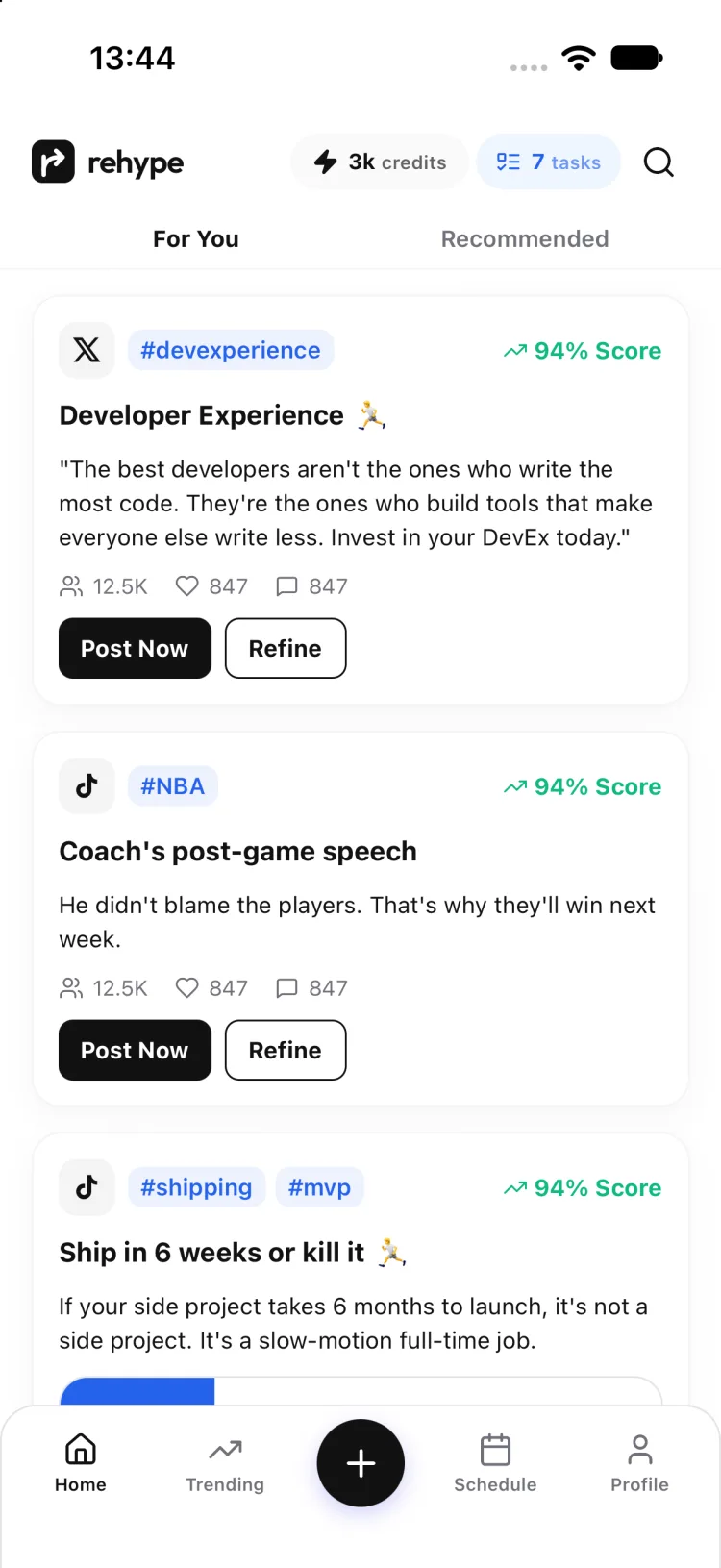
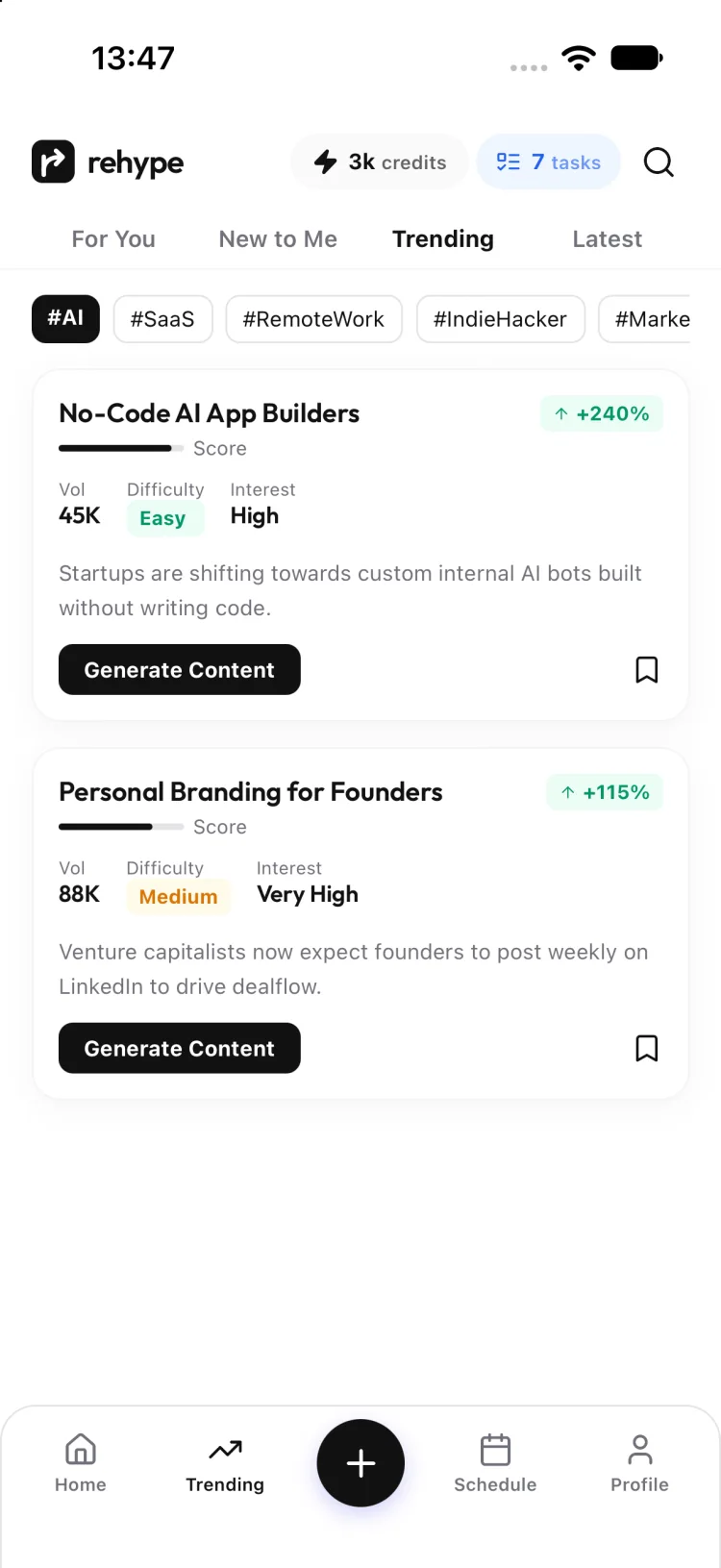
Browse posts and rising topics, then narrow the feed to the subjects you care about.
For You feed · topic filtersStart with your own idea or pick a prompt. Choose a topic, format and tone as you build.
Idea composer · guided choices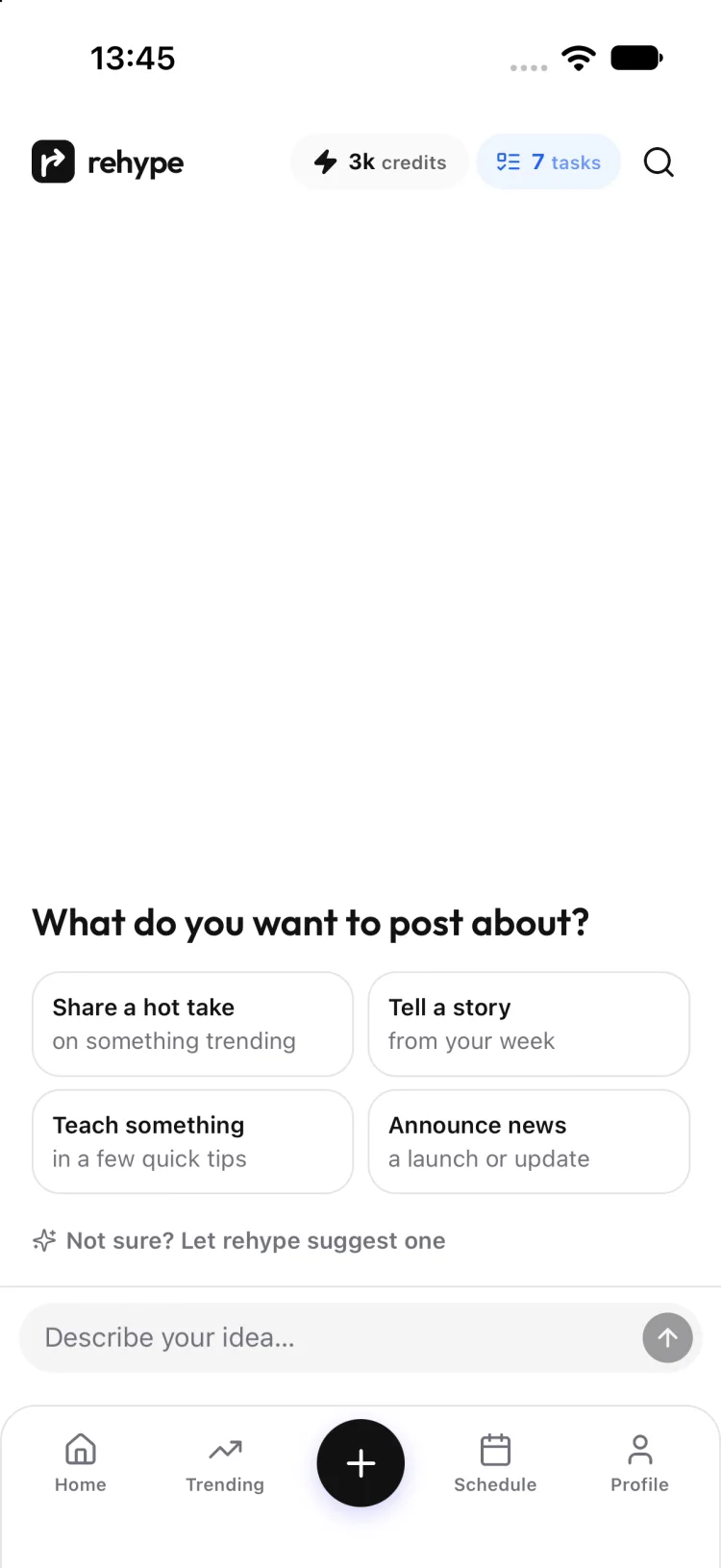
Review a scorecard with specific notes on clarity, persuasion, evidence and engagement.
Actionable scorecard feedback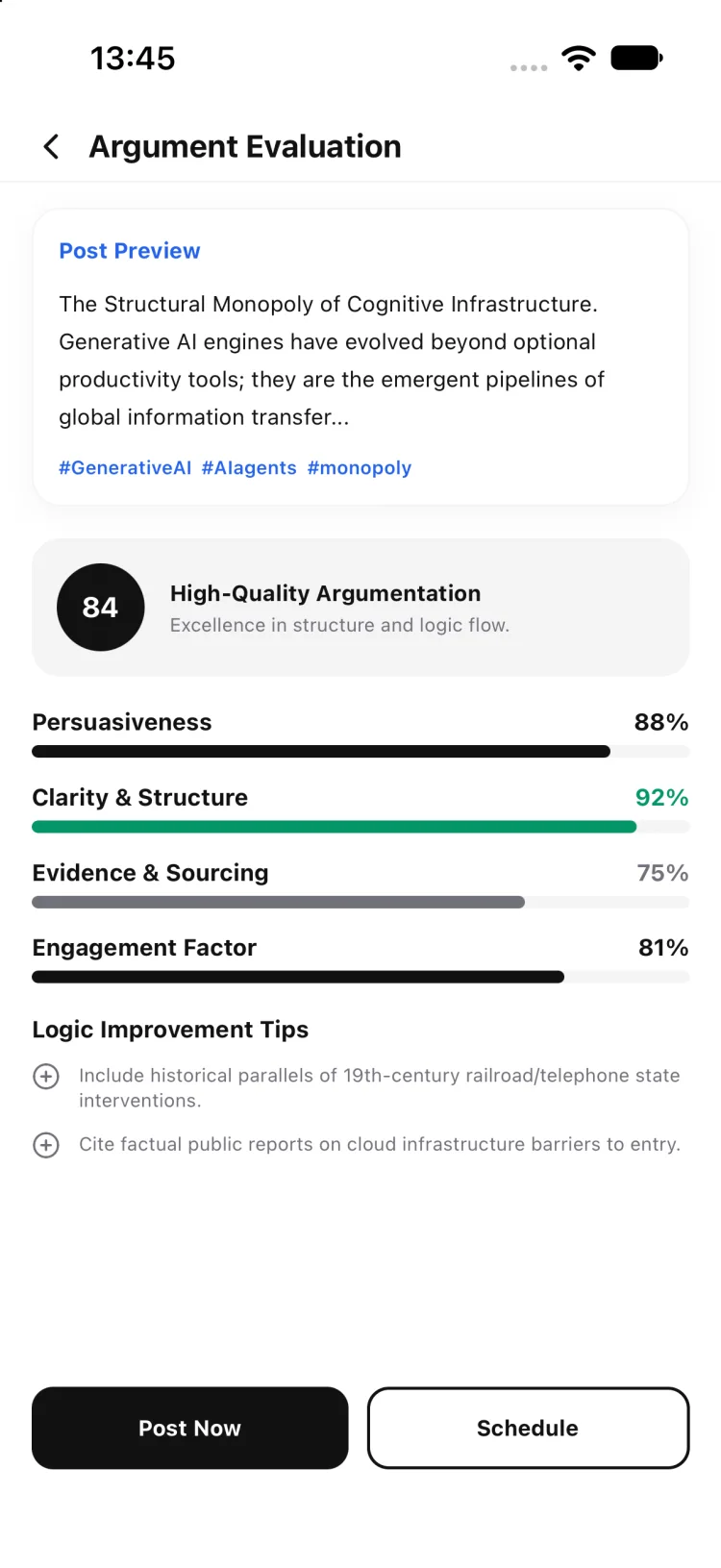
Bring posts, comments and replies into a simple daily plan so you know what to do next.
Daily content task list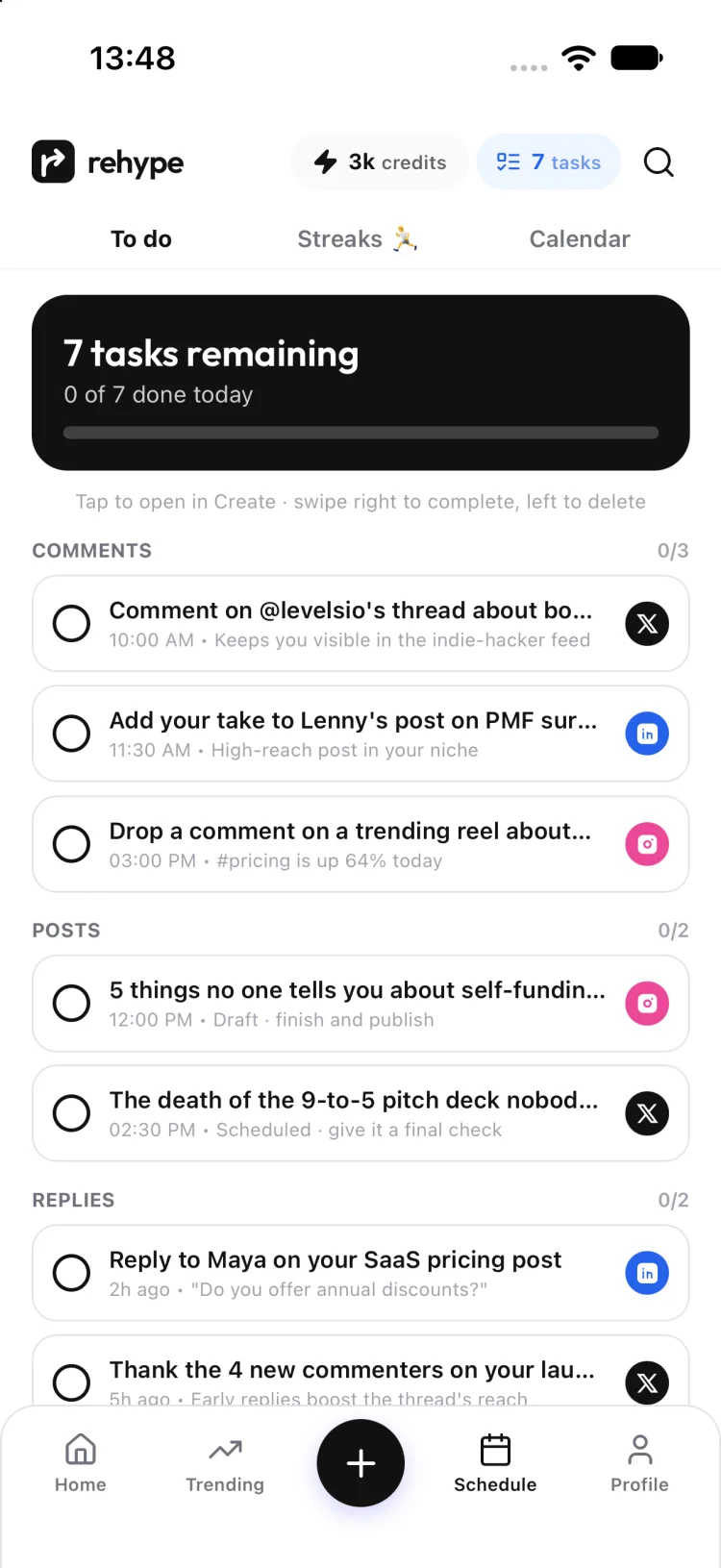
Start where you are. Find a direction, make it yours, and keep the next step in sight.
Explore ready-to-adapt posts and topics instead of facing a blank page.
Browse trending topics and search by category to find a relevant angle.
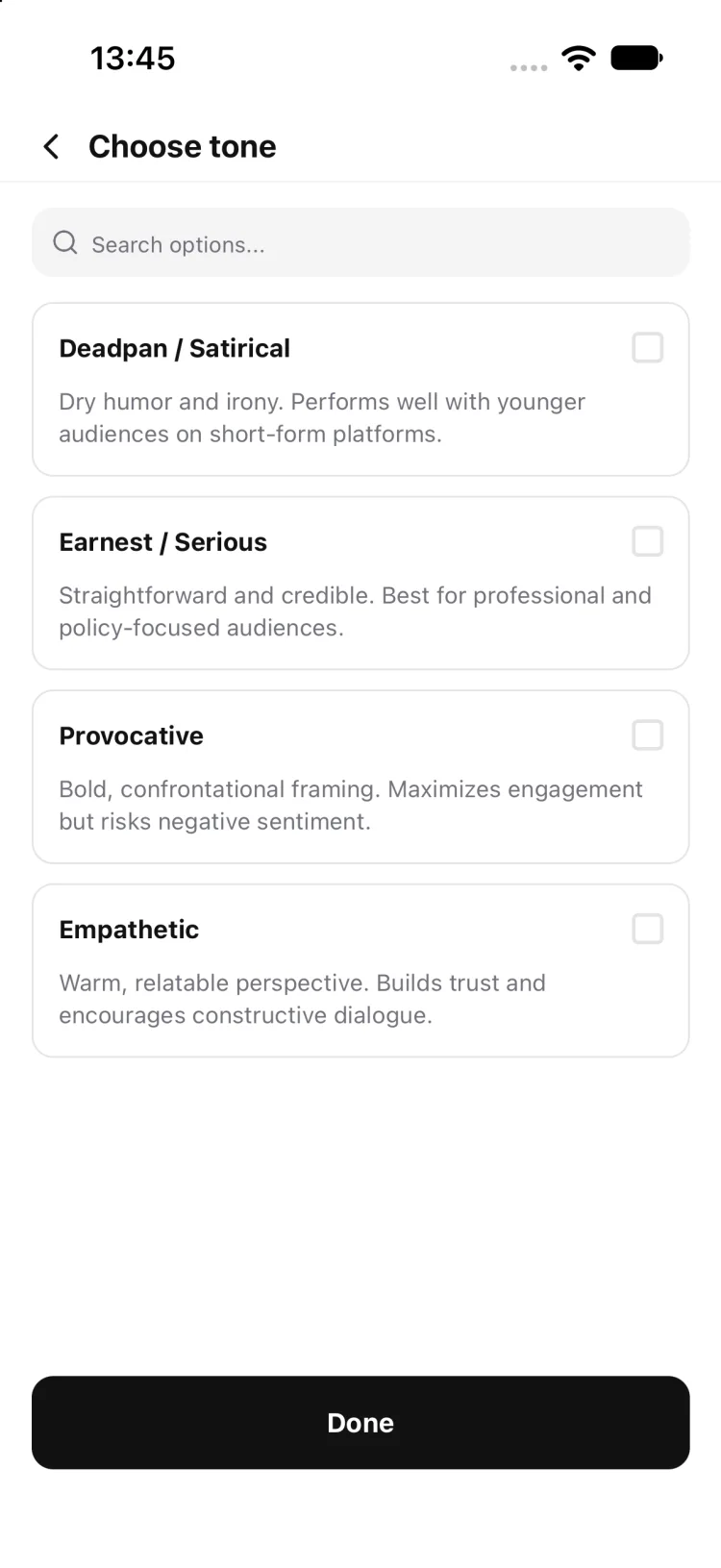
Start from a prompt or your own idea, then choose how your post should sound.
Use scorecard notes as editorial guidance, never a guarantee of reach.
Explore topic, format and visual choices in the guided creation flow.
A daily list keeps planned posts and thoughtful engagement in one place.
A bigger daily stream of starting points for your content is in development.
A searchable library of storytelling strategies is in development.
Try a few small examples inspired by Rehype's creation flow. They are prewritten illustrations, so you can explore the idea without an account.
We changed onboarding and it is better now. There are fewer steps and people seem to like it.
A feed of starting points and a daily task list make the next post easier to begin.
Choose a direction, work through creative options, and use feedback to sharpen your draft.
Keep comments and replies in view so engagement stays part of the work.
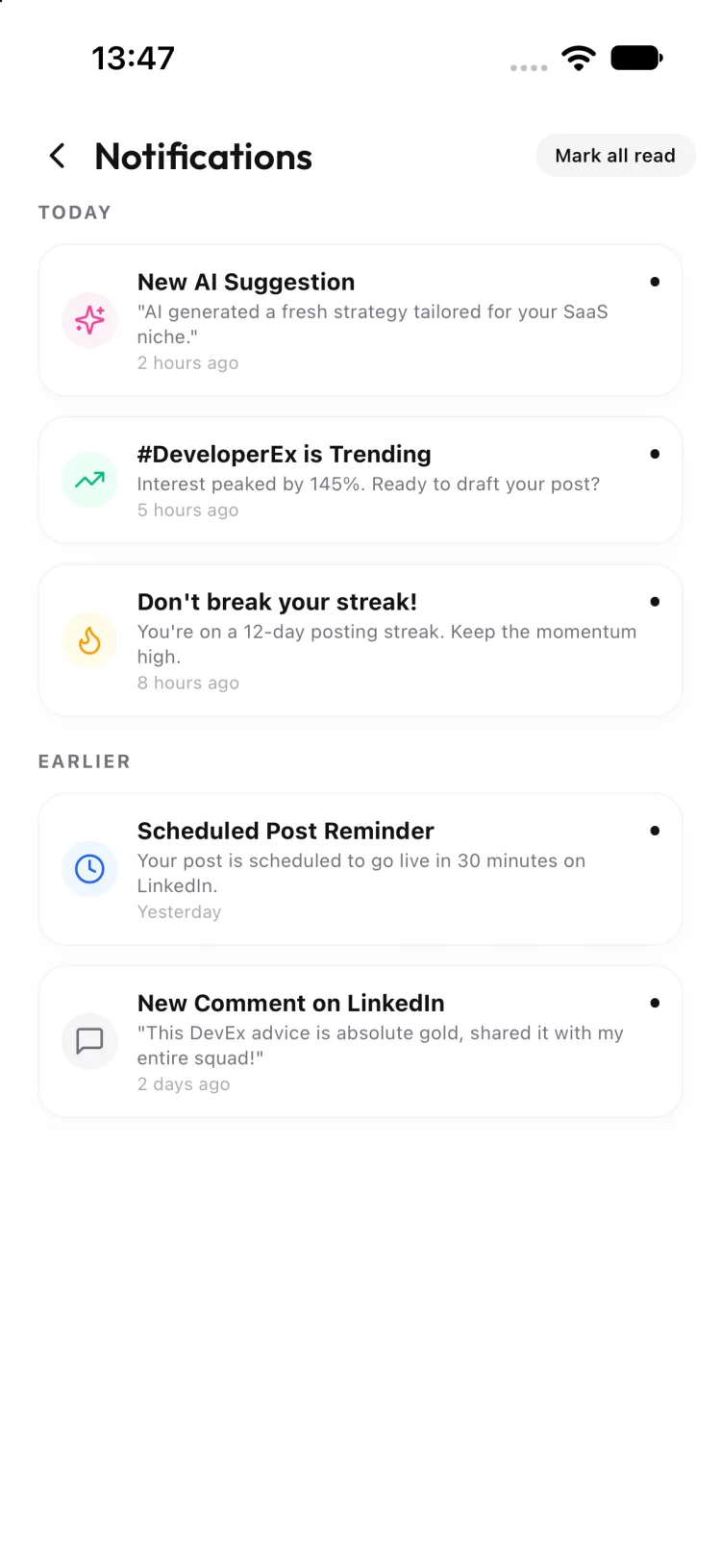
The app includes notifications for suggestions, trending topics and reminders. These are examples from its current demo data.
Clear answers about what the app currently shows and what its feedback means.
You can browse a For You feed and trending topics, start a post from an idea or prompt, choose creative options, review scorecard feedback, and organize posts and engagement tasks.
No. The scorecard is feedback on a sample post’s qualities, such as clarity, evidence and engagement. Actual performance depends on many factors.
Yes. The guided creation flow offers Deadpan / Satirical, Earnest / Serious, Provocative and Empathetic tones.
The app shows reply tasks in its daily plan. We have not verified automatic replies or generated reply suggestions, so you remain in control of what you write and send.
The mobile app is in active development. A public App Store or Google Play listing was not available in this project when this page was built.
They are planned additions and are not yet available in the current app. The landing page labels both as coming soon.
Find one, make it yours, and show up with confidence.
Try the interactive preview Public app download links have not been provided yet.